
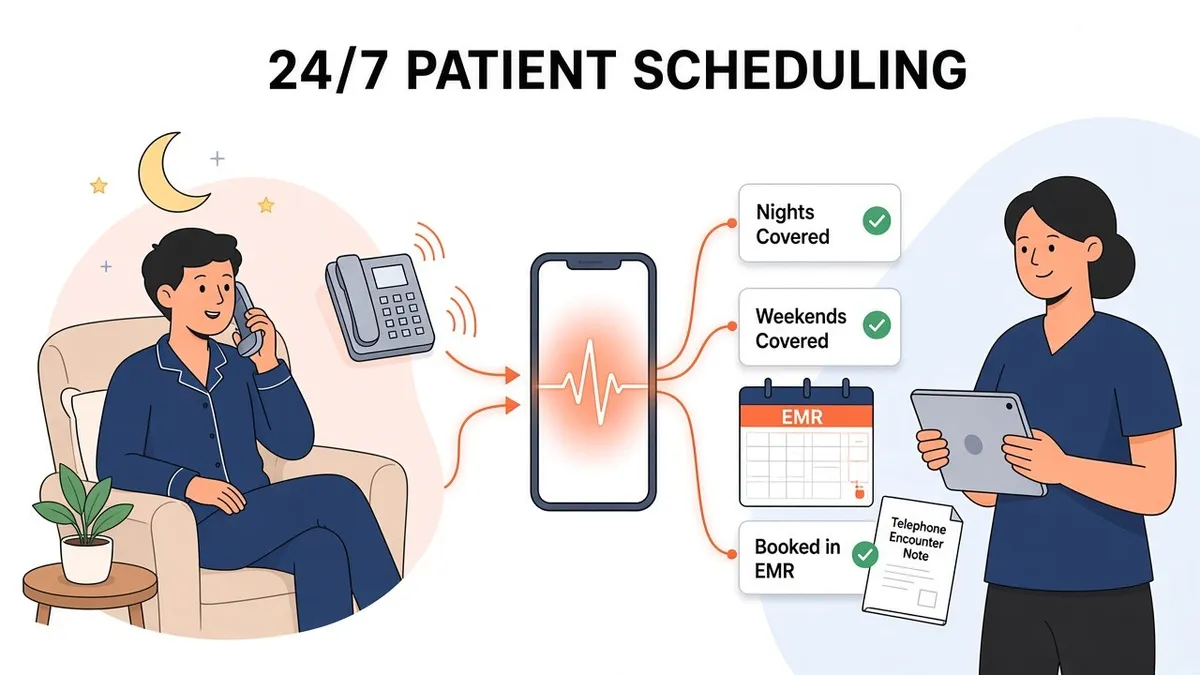
24/7 Patient Scheduling with an AI Receptionist
Patients do not always call when your scheduling team is free. Some call after their own workday ends. Others remember an appointment over the weekend or reach the practice during the morning rush. If the only option is voicemail, a routine booking becomes another callback for your staff.
An EMR-connected AI receptionist can make eligible appointments during those calls. The patient can finish with a booked visit, and your team can see it on the schedule when they next review the day.
For a practice manager, 24/7 patient scheduling means making a defined administrative service available outside desk hours. It does not mean every appointment request can be booked automatically or that clinicians are available around the clock. The useful starting point is deciding which visits can follow clear rules and which requests need staff review.
What makes after-hours booking possible?
Answering a phone and booking a visit are separate capabilities. A service can have a natural conversation with a patient and still do nothing more than send your team a message.
Booking requires a connection to your EMR and a usable set of scheduling rules. The service needs to check actual availability and enter the appointment in the schedule. Otherwise, the patient has made a request that someone must finish later.
Zaya Health checks availability and books directly in your EMR for supported workflows. It verifies existing patients by name and date of birth and adds a telephone encounter to document the call. Confirm the actions supported for your practice through the integrations page and during setup.
How a routine evening call works
Consider an existing patient calling after dinner to arrange a follow-up. This is an example workflow, not a patient case study.
- The patient calls and explains the appointment they need.
- Zaya verifies the existing patient by name and date of birth before acting on their record.
- The request is handled within the booking rules configured for the practice.
- Zaya checks availability in the EMR and offers suitable openings.
- The selected appointment is booked directly in the EMR, and the call is documented as a telephone encounter.
If the request cannot be completed within that scope, it needs the agreed staff follow-up process. A patient requesting an exception should understand that the request is awaiting review, rather than assume the appointment is confirmed.
When your team opens the next morning, the routine booking is already on the schedule. Staff can spend their follow-up time on requests that still need action.
Nights, weekends, and daytime overflow
Evening and overnight calls
Patients calling outside office hours can complete eligible scheduling tasks without waiting for the front desk to reopen. Your practice should keep the scope clear: routine booking is available, while questions requiring staff attention follow the stated response process.
Make sure the greeting and call instructions distinguish routine requests from urgent clinical concerns. An overnight appointment booking service is not a clinical advice line.
Weekend calls
Weekend coverage can help with the same routine booking work. The schedule still belongs to the practice, so closures, provider availability, and appointment restrictions need to be current in the systems and rules the service uses.
Define when staff will review weekend requests that cannot be booked. Avoid leaving callers with an expectation of a Sunday callback if the relevant team returns Monday.
Overflow during office hours
The same scheduling workflow can help when your office is open but staff cannot get to the phone. How overflow calls reach Zaya depends on your phone system setup.
A routine visit booked during lunch coverage is one fewer scheduling request waiting for a return call. Your staff still handle check-in, in-office questions, and requests outside the configured scope. For more on those coverage windows, read about after-hours and overflow calls.
Write the booking rules before launch
A service needs more direction than a list of office hours. Have the people who manage the schedule write down how routine bookings should work.
Start with these questions:
- Which visit types can be booked without staff review?
- Which providers and locations are eligible for each visit type?
- How should visit lengths and scheduling restrictions be handled?
- Which requests require records, referral review, or other staff checks first?
- What should happen when no suitable opening is available?
- Who owns messages about appointments the service cannot book?
Test those rules against your actual scheduling habits. If two staff members would handle the same request differently, resolve that difference before expecting the AI workflow to follow a consistent process.
What still needs your staff
Some appointment requests involve more than finding an open slot. A patient may need coordinated visits, an exception to a provider's template, or help with an unresolved administrative requirement. Your team should decide which of these stay outside automated booking.
Clinical urgency also requires the appropriate clinical process. A caller asking whether symptoms can wait is asking for assessment, even if the conversation began as a scheduling call. AI scheduling does not replace that assessment. Emergency instructions should direct callers to 911, and urgent concerns should follow your practice's on-call protocol.
Refill requests are another separate workflow. Zaya can collect and document the request, but recording it does not mean a prescription has been approved. Authorized staff remain responsible for review and any prescribing action.
Make morning review straightforward
Assign someone to review requests that arrived outside office hours. They should be able to distinguish completed bookings from messages that need a callback or another action.
For each message type, agree on its destination, owner, and expected response process. Review the BAA and patient-information handling during setup, including the systems used for documentation and messages.
Zaya setup typically takes about two weeks. Before launch, test an eligible booking, a fully booked schedule, a request outside your rules, and a patient whose identity cannot be verified. Check what the caller hears and what staff can find afterward.
After launch, use those same distinctions during review. Look for bookings that follow your rules and unresolved requests that have reached the right staff member. The purpose is to make the next action clear for both the patient and your team.
Frequently asked questions
Can an AI receptionist book appointments at night or on weekends?
Yes. An EMR-connected service can book eligible appointments outside office hours when after-hours coverage and booking rules are configured for your practice.
Does 24/7 scheduling mean every visit can be booked automatically?
No. Your practice defines eligible visit types and restrictions. Requests outside those rules need staff review rather than an automatic booking.
Can the same workflow handle daytime overflow?
Yes. Zaya can handle routine scheduling when staff cannot answer, with overflow routing arranged through your practice's phone system.
What happens to requests that need clinical judgment?
Clinical assessment and decisions remain with your authorized care team. Your practice should define on-call instructions and follow-up processes, with emergency messaging directing callers to 911.
Hear an after-hours scheduling call
Call our demo line at (713) 597-5176 and ask to book a routine visit. If you would like to walk through your own booking rules and after-hours coverage, book a demo.