
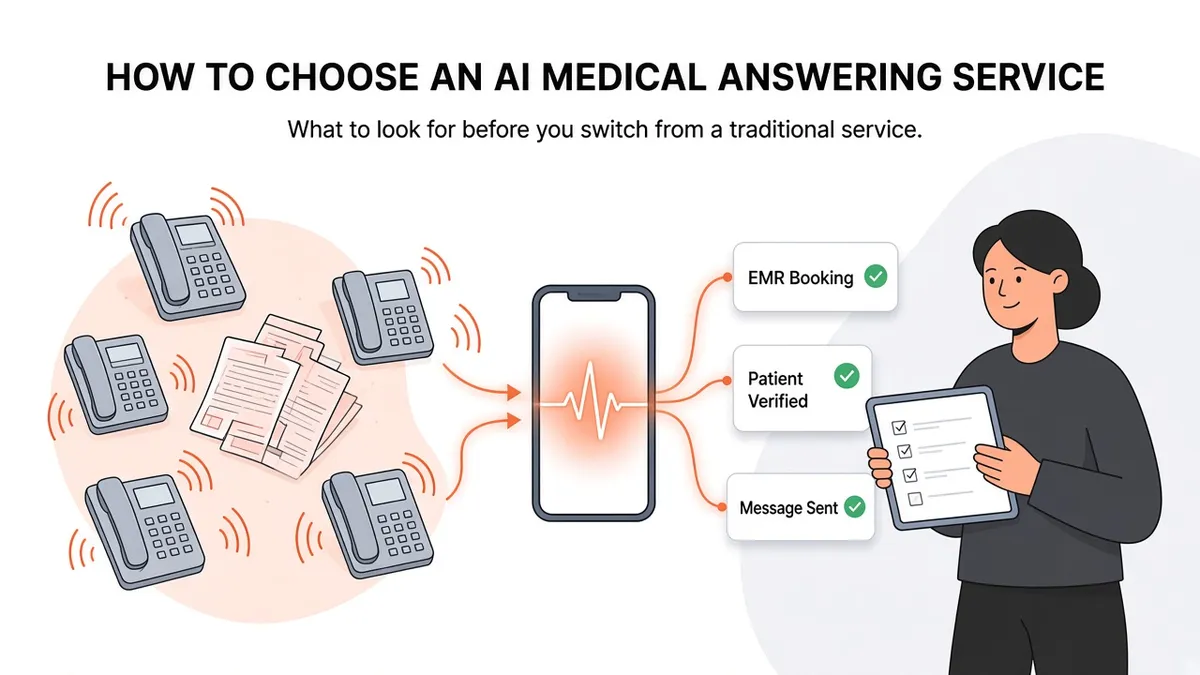
AI Medical Answering Service: How to Choose One
If you run a medical office, you've probably dealt with a traditional answering service. A patient calls after hours or during the lunch rush, an operator writes down a name and a callback number, and someone on your team sorts through the messages the next morning. Plenty of practices have worked this way for years.
An AI medical answering service works differently. Software answers the call and talks with the patient in plain conversation. When it's connected to your practice's systems, it can also finish routine tasks before the call ends. This guide covers what an AI medical answering service is, what it can and can't do, and what to ask before you pick one.
What is an AI medical answering service?
An AI medical answering service is a voice system that answers your practice's phone line and talks with callers in natural language. Patients don't get a "press 1 for scheduling" menu. They say what they need, and the system responds.
Most general-purpose AI receptionists stop there. They answer, take down details, and pass a message along. A service built for medical practices also needs to know how a clinic actually runs:
Who is calling. It needs to identify an existing patient before it discusses anything about their care.
Where the work goes. A message is only useful once it reaches the place your staff already works, usually the EMR.
The schedule. "Can I get in next Tuesday?" is only answerable if the system can see real availability.
That's the line between a general AI phone tool and one designed for medical offices. If you're comparing options, the question that matters is "what happens after it answers?"
How it differs from a traditional answering service
We cover this in more depth in AI Receptionist vs. Traditional Answering Service. The short version:
A traditional answering service takes messages. Your staff still have to call patients back, enter details into the chart, and book the appointment.
An AI medical answering service connected to your EMR can complete some of those tasks during the call, such as booking an appointment into the schedule or adding a telephone encounter to the patient's chart.
What changes is how much follow-up work lands on your team the next morning.
What an AI medical answering service can handle
Here's what Zaya Health does on a call:
Verifies the patient. Zaya confirms an existing patient by name and date of birth before it acts on their record.
Checks the schedule. It looks at availability in your EMR, so callers hear real openings, not a promise of a callback.
Books appointments directly in the EMR. The appointment goes into your schedule just as it would if a staff member had booked it.
Adds telephone encounters. A record of the call is added to the patient's chart so your clinical team has the context.
Sends messages where your team works. Requests that need a person, like a refill question or a billing question, go into the EMR, to email, or to another protected system your practice uses.
Each of these takes something off your front desk's plate. They aren't a replacement for your staff's judgment.
What it shouldn't be expected to do
It's worth being clear about the limits of any AI answering service, including ours:
It doesn't give medical advice. Clinical questions belong with your clinical team.
It isn't an emergency line. Your greeting and your process should still direct emergencies to 911 or your on-call protocol. Ask any vendor exactly how urgent calls are handled at your practice.
It doesn't replace the relationships your front desk has with patients. Taking routine calls off their plate gives them more time for patients in the office.
Be careful with any vendor that claims it can do everything. Ask for a live call where you play a patient with a real request.
Questions to ask before you choose
When you compare AI answering services for a medical office, these questions will separate a medical-specific product from a general one.
1. Does it work with my EMR, and how?
"Integration" can mean anything from a nightly CSV export to booking directly in your schedule. Ask which specific actions it can take in your system: read the schedule, book, add a telephone encounter, send a message. Zaya uses its own proprietary connections to the EMRs we support. It does not rely on open marketplaces. See our integrations page for the full list, including eClinicalWorks, athenahealth, Epic, NextGen, Tebra, AdvancedMD, Elation, ModMed, and DrChrono.
2. How does it verify who is calling?
Before a system touches a patient's record, it should confirm identity. Ask what it checks. Zaya verifies by name and date of birth.
3. Will you sign a BAA?
Any vendor handling protected health information for your practice should sign a Business Associate Agreement. Zaya signs a BAA with every client and has HIPAA safeguards in place. If a vendor hesitates on this, look elsewhere.
4. Where do messages end up?
If messages arrive in a separate portal no one checks, the problem has just moved somewhere else. Ask whether messages can go into your EMR or another system your team already uses.
5. How long does setup take?
Setup times vary a lot. Integrating with Zaya typically takes about two weeks. Ask what your team will need to provide, such as scheduling rules, provider preferences, and common call types, and who handles the technical connection.
6. Can I hear it before I commit?
Ask for a demo call. You can hear how it sounds to a patient and test whether it handles the calls your office gets most often.
A typical day with and without one
Picture a small primary care practice on a Monday morning.
Without an AI answering service: Weekend messages are waiting from the traditional answering service. A staff member opens each one, finds the patient in the EMR, and calls back. Some patients don't pick up, so the callbacks become phone tag. At the same time, the phones are ringing with new calls, and patients sit on hold or get voicemail. By mid-morning the team is behind before the first patient has even checked in.
With an AI medical answering service connected to the EMR: Weekend callers who wanted appointments already have them on the schedule. Each call has a telephone encounter in the chart. Requests that needed a person, like a refill or a billing question, are waiting as messages in the system the team already checks. Staff still have work to do, but it's sorted, it's attached to the right patient, and it's mostly work that needs a person.
That's what the category offers in practice. Your front desk still matters. It just spends far less time on the repetitive parts of the phone job.
Signs a vendor wasn't built for medical practices
General AI receptionist tools are often marketed to every kind of business: salons, law firms, home services, and clinics. They can sound polished on a demo call and still struggle in a medical office. Watch for these:
The vendor can't say which EMR actions it supports.
Patient verification isn't part of the call flow.
Messages only arrive by text or in a separate app.
The BAA is described as "available on request" for some plans only.
Their answers are mostly about the voice and say little about your workflow.
None of these is automatically disqualifying, but each one is worth a follow-up question.
Is an AI medical answering service right for your practice?
It's likely a good fit if:
Your phones ring constantly during the morning rush and lunch hour.
Your staff spend their first hour each day working through answering-service messages.
Many of your calls are routine scheduling requests.
Patients call after hours wanting to book, and you have no way to book for them until the next day.
It may matter less if your call volume is low and your front desk already keeps up comfortably.
Next steps
Hearing it for yourself is the quickest way to judge. Call our demo line at (713) 597-5176 and talk to Zaya the way a patient would. Ask to book an appointment, ask a question, and see how it responds.
If you want to see how Zaya works with your specific system, start with our integrations hub.