
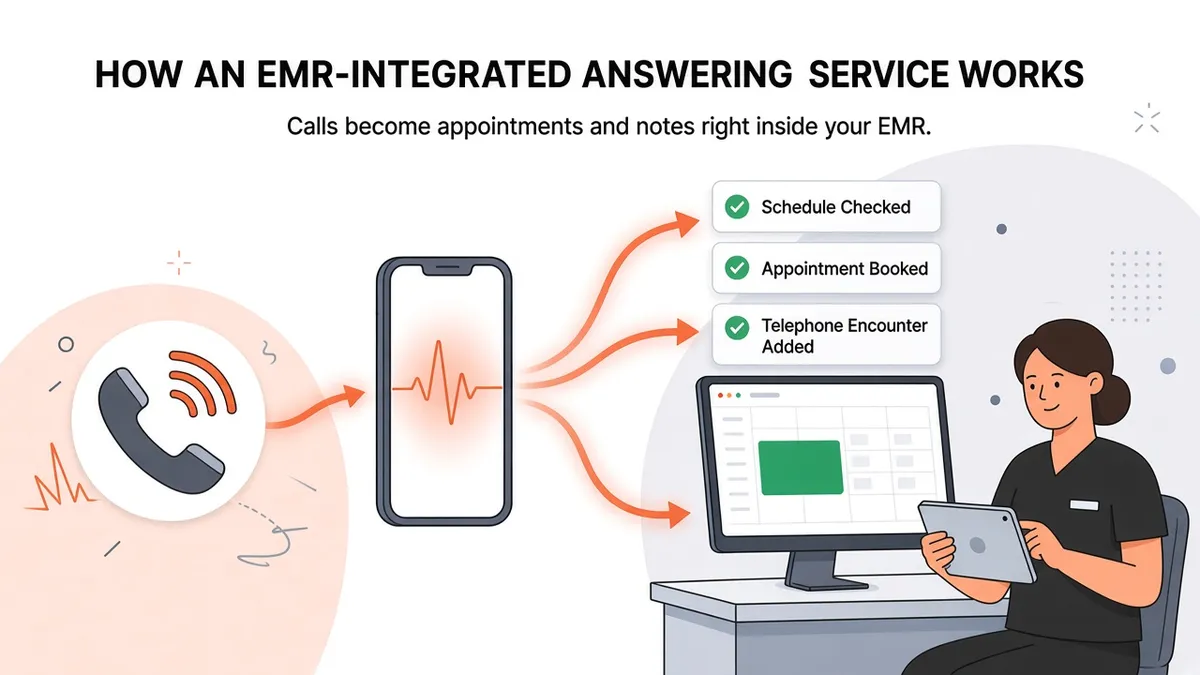
EMR-Integrated Answering Service: How It Works
"Can an answering service integrate with my EMR?" Practice managers ask this a lot, usually after another morning of retyping messages into the chart. The answer is yes, but "integration" means very different things depending on the vendor. This post explains what an EMR-integrated answering service actually does, which questions show how deep an integration goes, and what setup looks like.
Why EMR integration matters for phone coverage
A standard answering service produces messages. Someone on your team then has to:
Read each message.
Find the patient in the EMR.
Call the patient back.
Book the appointment or route the request.
Document the call.
Each step takes a few minutes, and the work piles up. After a weekend or a holiday it can take up a big part of the morning. An answering service connected to your EMR can cut out several of these steps, because the work happens in the system your staff already use.
The different levels of "integration"
Vendors use the word "integration" loosely, so it helps to think in levels:
Level 1: Messages delivered by email or a portal. The service takes a message and sends it somewhere outside your EMR. That's convenient, but staff still enter everything by hand. Most traditional answering services work this way.
Level 2: Messages delivered into the EMR. The message lands inside your EMR, often attached to the patient. You skip the copy and paste, but staff still have to act on it.
Level 3: Actions taken in the EMR. The service can check the schedule, book the appointment, and document the call as a telephone encounter while the patient is still on the phone. That's real EMR integration, and it's where staff save the most time.
Zaya Health works at level 3. It:
Verifies the caller by name and date of birth,
Checks the schedule in your EMR,
Books appointments directly in the EMR,
Adds telephone encounters to the patient's chart, and
Sends messages into the EMR, to email, or to another protected system for anything that needs a person.
For a broader look at how this compares with a message-taking service, see AI Receptionist vs. Traditional Answering Service.
Which EMRs does Zaya work with?
Zaya currently connects with these EMRs. Each page explains how it works with that system:
You can also browse them all on the integrations hub.
How the connection works
Some vendors connect through public EMR app marketplaces or open developer programs. Zaya uses its own proprietary connections to each EMR it supports. You don't have to sign up for a separate marketplace program to get started.
Whatever vendor you're considering, ask them to explain in plain language how they connect to your specific EMR and which actions that connection allows. "We integrate with everything" doesn't answer either question.
Questions to ask any vendor about EMR integration
Take this list to vendor calls:
Can you book appointments directly in my schedule, or only suggest times?
Do you follow my provider and appointment-type rules? Ask how they learn them.
Do you document calls in the patient's chart, for example as telephone encounters?
How do you identify the patient before you act on their record?
Where do messages go when a request needs a person?
Will you sign a BAA? Zaya signs a BAA with every client and has HIPAA safeguards in place.
How long does setup take, and what do you need from us?
Specific answers to these are a good sign. If you get vague ones, keep looking.
What setup looks like
With Zaya, integration setup typically takes about two weeks. During that time we work with your practice to:
Connect to your EMR,
Learn your scheduling rules, providers, and appointment types,
Set where different kinds of messages should go, and
Test calls before going live.
Your team doesn't need to build anything. Most of what we need from you is knowledge of how your practice works, like which providers see new patients, how long each visit type runs, and who should get which kinds of messages.
A side-by-side example
Here's how an after-hours call goes from start to finish under each approach. A patient calls at 7:30 p.m. on a Thursday wanting a follow-up visit.
Message-only answering service: 1. An operator takes the patient's name, date of birth, callback number, and reason for calling. 2. The message is emailed or posted to a portal. 3. Friday morning, a staff member reads it, finds the patient in the EMR, and calls back. 4. If the patient doesn't answer, they leave a voicemail, and the patient calls back later. 5. Eventually someone books the appointment and documents the call.
EMR-integrated answering service: 1. Zaya answers and verifies the patient by name and date of birth. 2. Zaya checks the schedule in the EMR and offers open times. 3. The patient picks one, and Zaya books it in the EMR. 4. Zaya adds a telephone encounter to the chart. 5. Friday morning, the appointment is already on the schedule. There's nothing to call back about.
The patient makes the same phone call in both versions. In the second one, your team doesn't spend Friday morning on callbacks.
Choosing the right fit for your EMR
Every EMR handles scheduling a little differently, and so do the practices that use them. One clinic on eClinicalWorks might use complex appointment templates, while another on Tebra keeps it simple. When you evaluate an integrated answering service, ask to walk through your own scheduling setup with them, not a generic demo account. The integration page for your EMR is a good place to start that conversation.
Common concerns
"Will it double-book my providers?" An integrated service books against the schedule it can see in your EMR. That's the whole reason to check the schedule before booking. Ask any vendor how they handle slots that change during a call.
"What if a patient isn't in our system yet?" Ask each vendor how they handle new patients for your EMR. Workflows differ by practice and system. With Zaya, requests that need staff go to your team as messages.
"Will my staff lose control?" No. Your staff still see every booked appointment and every telephone encounter in the EMR, so they have a full record of what happened on each call.
What changes for your staff
When routine calls are handled inside the EMR, your front desk's day looks different. Less of it goes to callbacks and data entry, and more goes to patients in the office, insurance questions, and the calls that need a person. Messages that do come through are already attached to the right patient, so your team doesn't have to search the chart before acting on them. Practices also tend to find that a consistent record of every call makes it easier to see what patients call about most, which helps with staffing and scheduling decisions over time.
The bottom line
An EMR-integrated answering service is worth it when it actually does the work inside your EMR: it checks the schedule, books the appointment, and documents the call. If it only forwards messages, your team is still doing the work.
Want to hear it in action? Call our demo line at (713) 597-5176. Then visit the integrations page for your EMR to see how Zaya fits your setup.