
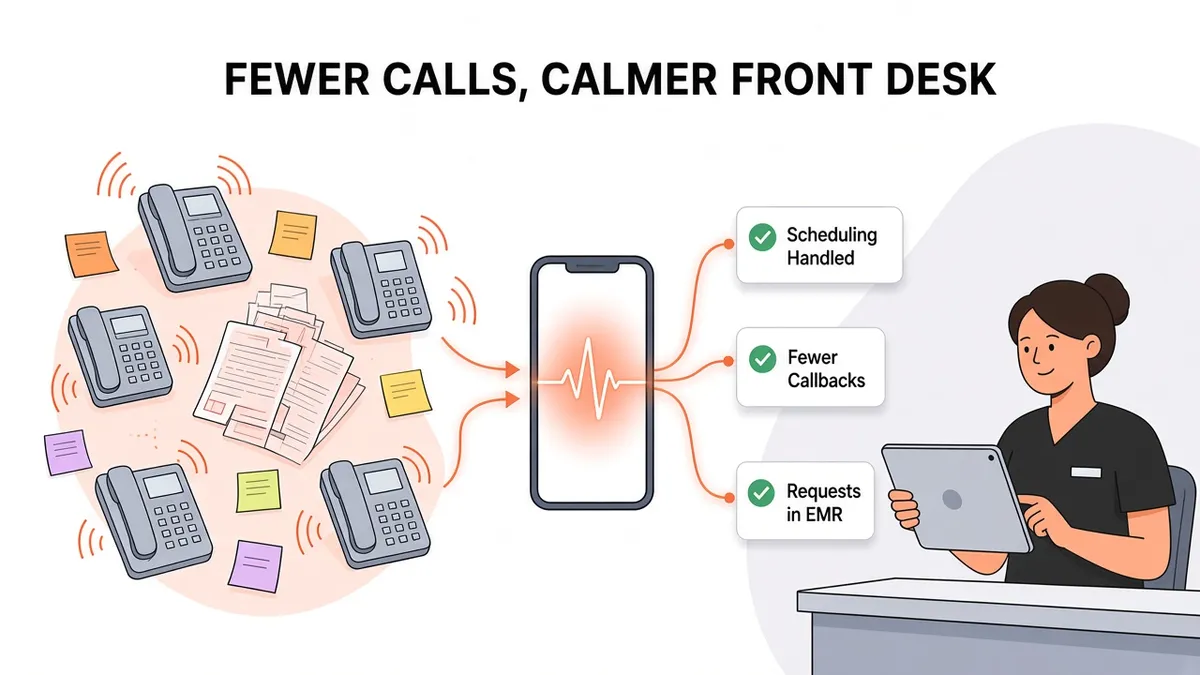
How to Reduce Front Desk Phone Workload at Your Practice
Ask a practice manager what slows the front desk down, and the phone usually comes up first. It's not that any single call is hard. It's that calls never stop, and every one of them pulls someone away from the patient standing at the window.
This post is about operations: where the front desk's phone time goes, which calls can come off their plate, and how an AI receptionist connected to your EMR fits into the day. It's a practical look at workflow, not a staffing or budget calculation.
Where front desk phone time actually goes
Before changing anything, look at what your team is actually doing on the phone. In most practices, calls fall into a handful of buckets:
Scheduling new appointments and follow-ups.
Prescription refill requests.
Messages for the care team: questions about results, symptoms, or forms.
Administrative questions: hours, location, what to bring, billing.
Callbacks: returning voicemails and after-hours messages.
That last bucket is easy to overlook. Every missed or after-hours call becomes work later, and callbacks often turn into phone tag. A single request can take three or four touches before it's resolved.
A simple way to measure it
You don't need special software to get a rough picture. For one or two weeks, have the front desk keep a tally sheet by the phone with a column for each call type, plus a column for "had to call back." Note what times of day are busiest. Most practices find that a few call types make up most of the volume and that the same peak windows repeat every week.
The hidden cost of interruptions
Phone work does more than take time. It breaks up everything else the front desk does:
Check-in and check-out slow down when the person at the window keeps picking up the phone.
Errors creep in when staff switch back and forth between a caller and a patient's paperwork.
Callers wait on hold, and some hang up and call back, which adds more calls.
Tasks pile up. Insurance checks, referrals, and forms get pushed to the end of the day.
Reducing phone workload isn't only about fewer calls. It's about giving your team longer stretches of focused time.
Five ways to reduce front desk phone workload
1. Fix the reasons patients call back
Many calls are repeat calls. A patient who doesn't hear back about a refill calls again. A patient who couldn't get through calls three times. Look at your tally for "had to call back" and ask why. Clear expectations ("your request has been sent to the care team") cut down on repeat calls.
2. Make sure every request is documented in one place
When messages arrive on sticky notes, in voicemail, and through an answering service portal, staff spend time collecting and re-entering them. Routing requests into the EMR, as telephone encounters or messages, means less re-work and a clearer record of what was asked and when.
3. Plan for peak windows
If your tally shows the same rush every morning, plan around it. Stagger lunch breaks, move non-phone tasks out of the peak hour, and decide in advance what happens to calls nobody can answer.
4. Take routine scheduling off the front desk
Scheduling is usually the largest single bucket, and much of it is routine: a known patient, a standard visit type, an open slot. These calls are good candidates to hand off, as long as the appointment still ends up correctly in your EMR.
5. Use an AI receptionist for routine calls
An AI receptionist can answer routine calls so your staff don't have to. The key is that it must work inside your existing systems. Otherwise it just creates another inbox for your team to check.
What an AI receptionist takes off the front desk
Here's what Zaya Health does on a call:
Verifies the patient by name and date of birth.
Checks the schedule in your EMR and books appointments directly in it.
Adds a telephone encounter to the patient's chart to document the call.
Sends messages into the EMR, to email, or to another protected system for anything that needs your team, such as refill requests or questions for a clinician.
That means a scheduling call can be handled from start to finish without a staff member picking up. A refill request arrives in your EMR already documented, so nobody has to transcribe a voicemail. Read more in how an AI answering service handles refill and scheduling calls.
What stays with your team
An AI receptionist doesn't replace the judgment of your staff or clinicians. Your team still:
Reviews and decides on refill requests.
Responds to clinical questions and messages.
Handles complex or sensitive conversations.
Works with patients in the office.
The goal is to move routine phone work off the front desk so your team has time for the work that needs a person. For emergencies, callers should always call 911, and your practice should keep its own on-call protocol for urgent concerns.
What changes in the front desk's day
With routine calls handled by an AI receptionist, the front desk's day tends to shift in a few ways:
Fewer interruptions at the window. Staff can finish checking in a patient without stopping for the phone.
Less callback work. Appointments booked on the call don't need a callback. Messages arrive documented.
A cleaner morning. After-hours bookings are already on the schedule, rather than waiting as voicemails.
One place to look. Requests show up in the EMR as telephone encounters or messages instead of across several channels.
Why the EMR connection matters for workload
If an AI receptionist can only take messages, it moves work around instead of removing it. Someone still has to read the message, open the EMR, find the patient, and book the visit. The workload reduction comes from the receptionist actually working in your EMR. Zaya connects with:
See all options on our integrations page, or read why an EMR-integrated answering service matters.
Rolling it out without disrupting the front desk
A change to how phones work affects your whole team, so plan the rollout:
Start with your tally. Use it to decide which call types the AI receptionist should handle first.
Set the rules. Decide which visit types and providers can be booked, and where each kind of message goes.
Brief your staff. Explain what the AI will handle, what will land in the EMR, and what stays with them.
Check in after the first weeks. Review telephone encounters and messages, and adjust the rules.
With Zaya Health, setup takes about two weeks.
Related reading
Hear how it handles a routine call
The quickest way to see whether an AI receptionist could take routine calls off your front desk is to call one. Call our demo line at (713) 597-5176, ask to book a visit like a patient would, and listen to how Zaya handles it.
Prefer a walkthrough? Book a Demo.